Slidebox alternative
Slidebox alternatives for iPhone: what it does and what to use instead
Slidebox is a swipe-to-sort photo organizer for iPhone: swipe up to trash a photo, down to favorite it, or tap an album to file it. It’s a free download with ads, and its subscription costs $4.99 a month or $49.99 a year in the US. If you mainly file photos into albums, Slidebox still does that better than most, and the Photos app’s Add To does it for free. If you’re trying to free up space, a cleaner that groups duplicates and similar shots and compresses large photos fits better. PhotoCleanse, which we make, does that and has its own Swipe decks.
Updated

1 free Swipe deck a month
You confirm before deleting.
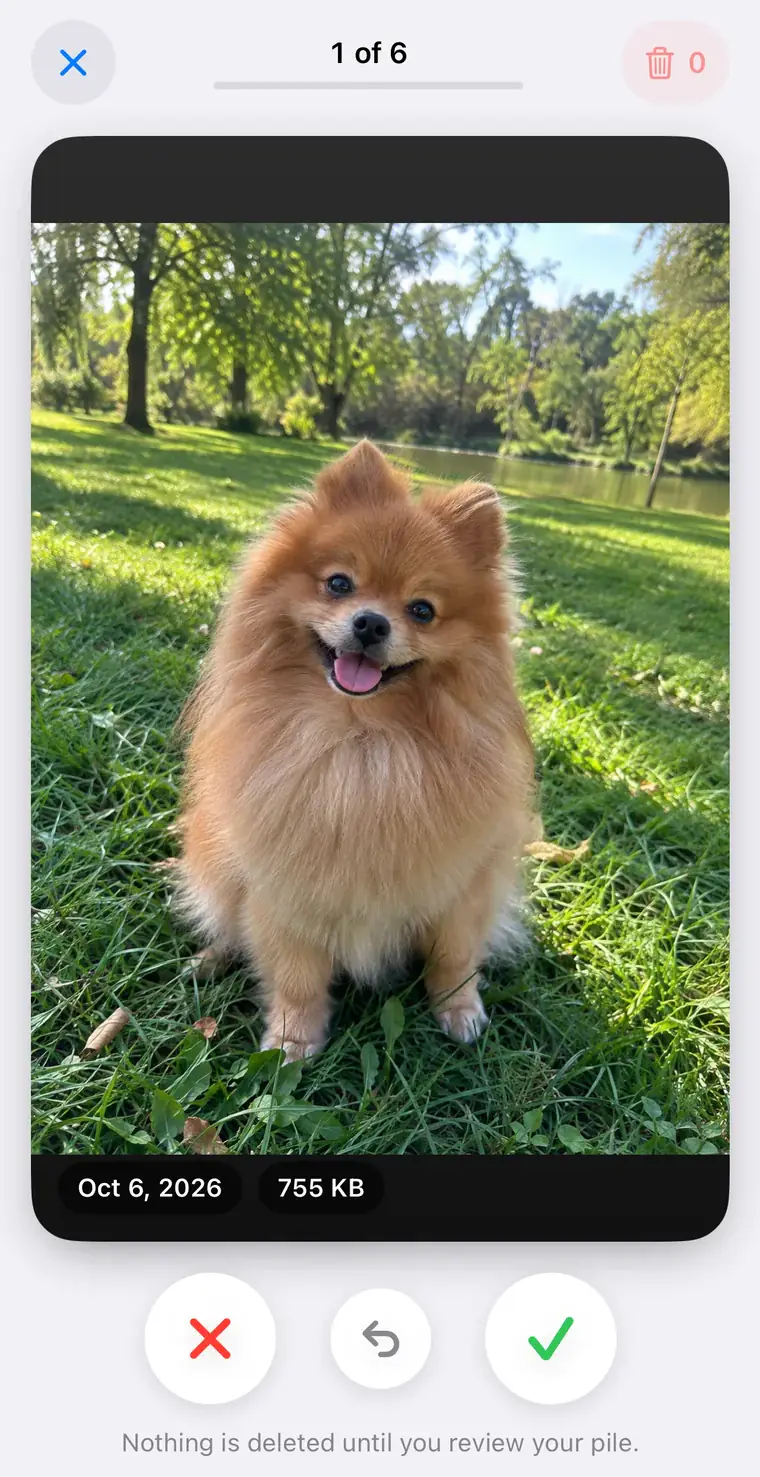
The app
What Slidebox does
Everything here comes from Slidebox’s own App Store listing, website and FAQ, checked November 5, 2026. We haven’t tested Slidebox for this page.
Slidebox LLC, based in Seattle, has had Slidebox on the App Store since 2015. You go through your photos one at a time. Its website describes the gestures: swipe up to trash, swipe down to mark a favorite, and tap an album to sort the photo into it. The listing adds comparing similar photos by swiping between them, and undo.
Albums. When you create an album in Slidebox, it can create a matching album in the Photos app, so photos you file show up there too. You can switch that off per album. Slidebox’s FAQ says that deleting a Slidebox album puts its photos in Slidebox’s trash.
Trash. Trashing a photo doesn’t delete it. Slidebox marks it as trashed and hides it in the app. When you delete your trashed photos, they’re removed from your iCloud library on all devices and wait in Recently Deleted in Photos for 30 days.
Standing. The US listing shows a 4.8 rating from about 17,000 ratings and Apple’s Editors’ Choice badge. It runs on iPhone and iPad with iOS 15 or later, on Macs with Apple silicon and on Apple Vision Pro, in 15 languages, and slidebox.co links an Android version.
Price
Is Slidebox free?
It’s a free download, and the listing says it contains ads. Paying adds features, including 10,000+ photos and cloud storage for albums; the listing doesn’t spell out what the free version limits.
| Plan | Slidebox | PhotoCleanse |
|---|---|---|
| Weekly | $1.99 or $2.99 | $5.99 |
| Monthly | $4.99 | None |
| Yearly | $19.99, $29.99 or $49.99 | $29.99 |
| One-time unlock | $29.99 or $49.99 | None |
| Free trial | None, the listing says | 3 days, for eligible new subscribers |
| Without paying | Free download with ads; free limits not spelled out | 3 duplicate groups, 1 Swipe deck and 1 photo compression a month |
The Slidebox description names $4.99 a month and $49.99 a year. The other Slidebox prices come from the In-App Purchases list on the same listing, which shows every price a developer has set up, including tests and offers; the paywall shows the one you pay. Slidebox’s FAQ still says the app is free and will always be free, but it predates the subscriptions in the listing. PhotoCleanse’s prices are its US App Store prices.
Side by side
Slidebox and PhotoCleanse compared
The Slidebox column is what its listing, website and FAQ say. We make PhotoCleanse, so weigh the right column with that in mind.
| Job | Slidebox | PhotoCleanse |
|---|---|---|
| Swipe gesture | Up to trash, down to favorite | Left to mark for deletion, right to keep |
| Sort into albums | Tap an album while you swipe; can mirror to Photos albums | No album sorting |
| Similar photos | Swipe between similar photos to compare | Duplicate groups with a suggested BEST photo |
| How strict matching is | Not listed | Exact Matches, Balanced or More Matches |
| Compress large photos | Not listed | Smaller copies; originals deleted only if you choose |
| Undo | Yes | Yes, in a deck |
| Before deleting | Trashed photos wait in the app until you delete them | Marked photos wait in a review pile |
| After deleting | Recently Deleted for 30 days | Recently Deleted for 30 days |
| Ads | The listing says the app contains ads | No ads |
| Devices | iPhone, iPad, Mac with Apple silicon, Vision Pro, Android | iPhone |
| Languages | 15 | 8 |
| Needs | iOS 15 or later | iOS 17 or later |
“Not listed” means Slidebox’s listing doesn’t mention the feature, not that the app lacks it.
Trade-offs
Where each one is stronger
Slidebox is stronger at organizing. Filing photos into albums as you swipe is its core job, and PhotoCleanse doesn’t do it at all. Slidebox also runs on far more devices, in more languages, and has years of ratings and an Editors’ Choice badge, where PhotoCleanse is new and has no US ratings yet.
PhotoCleanse is stronger at clearing space. A scan on your iPhone groups copies and similar shots, marks one BEST photo in each group, and lets you choose how strict matching is. Select All Duplicates leaves each BEST photo and every favorite unselected. Compress lists large photos with the space each would save and saves smaller copies at the quality and size you pick. Its Swipe decks hold up to 30 photos, never show favorites, and remember the photos you kept so they don’t come back. It has no ads.
Privacy labels differ. Slidebox’s label lists no data used to track you; it lists usage, diagnostics and Photos or Videos as collected but not linked to you, with usage data used for third-party advertising. PhotoCleanse’s label lists purchases, identifiers and usage data as used to track you, for ad measurement. PhotoCleanse doesn’t upload your photos.
Which one
Keep Slidebox, use Photos, or switch?
Keep Slidebox if
- You file most photos into albums as you go
- You use it on an iPad, a Mac or Android too
- You bought the one-time unlock and it does what you need
Use only the Photos app if
- You want albums without another app: Select, then Add To
- Your clutter is mostly exact copies, which the Duplicates album merges
- You want no ads and no subscription
Try PhotoCleanse if
- Your storage is full and you want to delete, not sort
- Your library has rows of near-identical shots and retakes
- You’d rather shrink large photos than delete them
- You want to swipe through photos without ads
Before you switch
- Photos in Slidebox’s trash are still in your library until you delete them in Slidebox
- Albums Slidebox mirrored to Photos stay in Photos
- A Slidebox subscription renews until you cancel it
Step by step
How to move from Slidebox to PhotoCleanse
Finish what’s pending in Slidebox first, then clean up in order: exact copies, similar shots, one-off clutter, then compression.
- 01
Empty or restore Slidebox’s trash
Open Slidebox and decide on the photos you trashed: delete them or put them back. Until you do, they’re still in your library and other apps will show them.
- 02
Check your subscription
Open Settings, tap your name, then Subscriptions. If Slidebox is listed and you’re leaving it, tap it and cancel. A one-time unlock isn’t listed there and needs no cancelling.
- 03
Protect what matters
PhotoCleanse never selects favorites automatically and never shows them in Swipe. In Photos, tap the heart on any photo you want kept out of a cleanup.
- 04
Merge exact copies in Photos
Open Photos, tap Collections, scroll to Utilities and tap Duplicates, then tap Merge on each set. Photos keeps one copy and moves the others to Recently Deleted. The album appears on iOS 16 and later, and only when Photos finds copies.
- 05
Clean up similar shots
Install PhotoCleanse and allow full photo library access. Open Duplicate Photos: each group has a suggested BEST photo, and you pick which of the others to delete. Options switches between Exact Matches, Balanced and More Matches. Delete and confirm in iOS.
- 06
Swipe through the rest
In the Swipe tab, start the Screenshots deck, a month or Shuffle. Swipe left to mark a photo, right to keep it, and use Undo if you change your mind. Check the pile in Review, tap Delete and confirm once.
- 07
Compress what you keep
In Compress, select large photos and save smaller copies to the Compressed by PhotoCleanse album. Originals are deleted only if you turn that on and confirm.
Deleted photos stay in Recently Deleted for 30 days, so the storage comes back after that, or sooner if you empty the album yourself. The free plan covers 3 duplicate-group cleanups, 1 Swipe deck and 1 photo compression a month; PhotoCleanse Pro removes the limits.
Free, built in
Sort photos into albums without Slidebox
If albums are what you’ll miss, the Photos app can file many photos at once. It doesn’t swipe through them one by one, but it’s free and needs no other app. On iOS 27, Apple’s guide gives these steps:
- Open Photos and tap Library.
- Tap Select, then tap the photos you want to file.
- Tap the actions button, tap Add To, then Album, Shared Album or a new album.
- Tap the album you want.
To take a photo out of an album without deleting it, open the album, touch and hold the photo and tap Remove from Album. The photo stays in your library.
Is Slidebox free?
Slidebox is a free download. Its App Store listing says the app contains ads and offers in-app purchases for extra features, including 10,000+ photos and cloud storage for albums. Subscriptions are $4.99 a month or $49.99 a year in the US with no free trial, and there’s a one-time purchase that unlocks the full version. The in-app purchase list also shows weekly, other yearly and other lifetime prices. The listing doesn’t say exactly what the free version limits.
What is the best free Slidebox alternative?
For sorting photos into albums, the Photos app: select photos in your library, then use Add To and choose an album. For exact copies, the Duplicates album under Utilities in Photos, on iOS 16 and later. Neither swipes through photos one at a time. PhotoCleanse, which we make, has a free plan with 1 Swipe deck, 3 duplicate-group cleanups and 1 photo compression a month.
Does Slidebox upload my photos?
Its App Privacy label lists Photos or Videos as data that may be collected, not linked to you, for app functionality, and its paid plans include cloud storage for albums. Data an app handles only on the iPhone doesn’t count as collected under Apple’s rules, so the label means some photos can leave the device, for example when you use a cloud or sharing feature. Slidebox’s FAQ says it encrypts photos it sends. Check the label and the privacy policy for the features you use.
Does deleting in Slidebox delete photos from iCloud?
Yes. Slidebox’s FAQ says that trashing a photo only marks it inside Slidebox, and that deleting your trashed photos removes them from your iCloud library on all your devices. They stay in Recently Deleted in the Photos app for 30 days, so you can still recover them there.
Does PhotoCleanse sort photos into albums like Slidebox?
No. PhotoCleanse is for deleting and shrinking: duplicate and similar-photo groups, Swipe decks to mark photos for deletion, and compression. If filing photos into albums is the main thing you use Slidebox for, keep it or use Add To in the Photos app.
Is PhotoCleanse’s Swipe the same as Slidebox?
Similar idea, different gestures. In PhotoCleanse you swipe left to mark a photo for deletion and right to keep it, in decks of up to 30: Shuffle, Screenshots or one month. Favorites never appear. Marked photos go to a review pile where you can unmark any of them, and nothing is deleted until you tap Delete and confirm in iOS.
Does PhotoCleanse work on iPad or Android?
PhotoCleanse is an iPhone app and needs iOS 17 or later. There’s no Android version. Slidebox runs on more devices: iPhone, iPad, Macs with Apple silicon, Apple Vision Pro and Android.
Sources: the Slidebox App Store listing (US, November 5, 2026), slidebox.co and its iOS FAQ; Apple’s Add photos to albums, Merge duplicate photos, Cancel a subscription from Apple and App privacy details on the App Store.
Related guides

Try PhotoCleanse
on your iPhone
Try one Swipe deck and 3 duplicate cleanups a month for free.
For iPhone · Optional Pro subscription
Not for videos or Android phones: PhotoCleanse cleans up photos only.

Scan with your iPhone camera
Opens the App Store