Step by step
How to delete all photos on iPhone, with or without iCloud
The Photos app on iPhone has no Select All for your library. To delete every photo at once, open icloud.com/photos, tap Select All, then Delete: with iCloud Photos on, that removes them from every device. To clear only the iPhone and keep the photos in iCloud, turn off iCloud Photos on it and choose Remove from iPhone. Then empty Recently Deleted, or the space comes back only after 30 days.
Updated

Clear the clutter, keep the rest
You confirm before deleting.
Compare
Pick the right way first
“Delete all photos” means four different things, and the wrong one can wipe photos you meant to keep. The deciding question is whether iCloud Photos is on: open Settings › [your name] › iCloud › Photos and see whether Sync this iPhone is on.
| You want to | How | iCloud copies | Can you undo it |
|---|---|---|---|
| Delete every photo, everywhere | Select All on iCloud.com, then Delete | Deleted on every synced device | Yes, 30 days in Recently Deleted |
| Clear the iPhone, keep photos in iCloud | Turn off iCloud Photos, choose Remove from iPhone | Kept in iCloud | Nothing is deleted from iCloud |
| Delete all photos when iCloud Photos is off | Select in Photos, slide across the grid | None to delete | Yes, 30 days in Recently Deleted |
| Sell or give away the iPhone | Erase All Content and Settings | Kept in iCloud | Not from the iPhone |
Sources: Apple Support, Manage your iCloud storage, How to turn off iCloud Photos, Delete photos on your iPhone or iPad and What to do before you sell, give away, or trade in your iPhone or iPad.
Before you delete
Save what you want to keep
Apple’s advice before any bulk delete is to back up the photos and videos you still want. Deleting a whole library is the one cleanup where a mistake costs years of photos, so copy them somewhere that isn’t synced with iCloud Photos, such as a computer folder or an external drive. With iCloud Photos on, a Mac or a second iPhone that syncs the same library doesn’t count: deleting in iCloud Photos deletes there too.
Shared Library and shared albums. If you use an iCloud Shared Photo Library, Apple says its photos count only toward the storage of the person who created it, so view your Personal Library before deleting for space. Photos you delete from a shared album are deleted immediately, without a stop in Recently Deleted.
Over your iCloud limit? Apple says that if you exceed your iCloud storage limit, your device removes deleted photos immediately and they aren’t available in Recently Deleted. Check your backup twice in that case.
Fastest for big libraries
How to delete all photos at once with iCloud.com
This is the only Select All Apple documents for iPhone. It needs iCloud Photos on, and it deletes from every device that syncs with it.
- 01
Sign in to iCloud Photos
On your iPhone or a computer, open icloud.com/photos in a browser and sign in with the Apple Account your iPhone uses.
- 02
Select everything
On iPhone or iPad, tap Select, then Select All. On a Mac, press Command-A; on Windows, press Control-A.
- 03
Delete
Tap or click the Delete button, then Delete. The photos disappear from your iPhone and your other devices as iCloud Photos syncs.
- 04
Empty Recently Deleted
The deleted photos stay in Recently Deleted for 30 days. Apple says items there don’t count toward your iCloud storage, but empty it as described below if you want them gone for good now.
Source: Apple Support, Manage your iCloud storage on your Apple device (Delete photos on iCloud.com).
In the Photos app
How to delete all photos in the Photos app
Open Photos and go to your library. Tap Select, then tap a photo and slide your finger across the grid to select more than one. Tap the Trash button and confirm. Apple documents this as the way to delete multiple photos on iPhone.
With a few hundred photos it takes a minute. With tens of thousands, work through the library in chunks, or use iCloud.com if iCloud Photos is on. Videos sit in the same library grid, so they are selected along with the photos.
If iCloud Photos is off, the photos you delete here exist only on this iPhone and in any backup you made. If it is on, they are deleted everywhere, exactly as with iCloud.com.
Trash button gray? Photos that came to the iPhone by syncing with a computer can’t be deleted in the Photos app. Apple’s fix is to stop syncing photos from the computer.
Source: Apple Support, Delete photos on your iPhone or iPad.
Keep them in iCloud
How to delete all photos from iPhone but not iCloud
Deleting in the Photos app while iCloud Photos is on deletes from iCloud too. The way to empty only the iPhone is to stop it syncing first.
- 01
Check that iCloud has everything
Open icloud.com/photos and confirm your newest photos are there. Anything that hasn’t uploaded yet exists only on the iPhone.
- 02
Open the iCloud Photos setting
Open Settings, tap your name, tap iCloud, then tap Photos under Saved to iCloud.
- 03
Turn off Sync this iPhone
Apple offers two choices. Remove from iPhone removes the photos from this iPhone without saving a copy on it. Download Photos & Videos keeps a copy, which is the opposite of what you want here.
- 04
Leave it off
From now on, new photos, edits and deletions on this iPhone don’t sync with iCloud. Turning Sync this iPhone back on starts syncing the iPhone with your iCloud library again.
Source: Apple Support, How to turn off iCloud Photos. Don’t confuse this with Turn Off and Delete Photos under iCloud storage: that turns iCloud Photos off for your whole account and deletes the photos from iCloud after 30 days.
The last step
Empty Recently Deleted to get the space back
Deleted photos wait in Recently Deleted for 30 days, then Photos removes them for good. To free the space now, open Recently Deleted, tap View Album and unlock it with Face ID or Touch ID, tap Select, tap More, then Delete All. Apple warns you can’t get them back after that.
| iOS version | Recently Deleted |
|---|---|
| iOS 26 and iOS 27 | Photos › Collections › Utilities › Recently Deleted |
| iOS 18 | Photos › scroll down below your library › Utilities › Recently Deleted |
| iOS 16 and iOS 17 | Photos › Albums › Utilities › Recently Deleted |
Source: Apple Support, Delete photos on your iPhone or iPad. To check your iOS version, open Settings › General › About.
Selling the phone
Selling or trading in? Erase the iPhone instead
If the reason is a new owner, don’t delete your photos at all. Apple’s checklist before you sell, give away or trade in an iPhone ends with Settings › General › Transfer or Reset iPhone › Erase All Content and Settings, which removes everything on the phone, photos included.
With iCloud Photos on, erasing the iPhone leaves your library in iCloud, ready for your next phone. Deleting the photos in Photos first would do the opposite: it would delete them from iCloud as well.
Source: Apple Support, What to do before you sell, give away, or trade in your iPhone or iPad.
If the goal is space
You may not need to delete everything
Many people who search for this want their storage back, not an empty library. A full library usually carries weight nobody wants: copies, retakes, screenshots and a few very large photos. How many photos an iPhone holds shows how much a few formats and sizes matter.
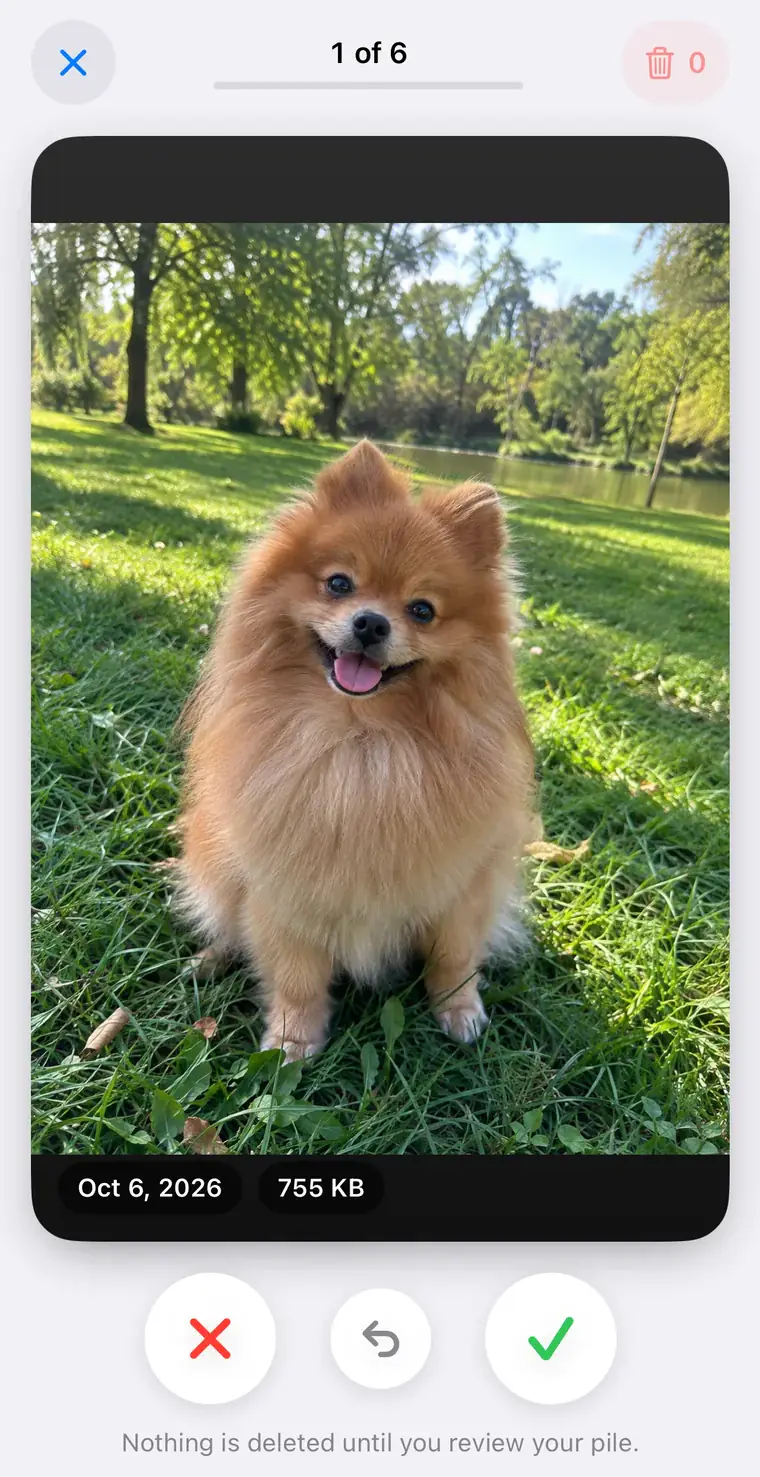
We make PhotoCleanse, so weigh this with that in mind; it is not a tool for wiping a library. It compares photo content on your iPhone, groups copies and similar shots, and marks one BEST photo in each group to keep. Swipe shows decks of up to 30 photos: left to mark for deletion, right to keep. Compress saves smaller copies of large photos. Your photos aren’t uploaded, and nothing is deleted until you confirm in iOS; deleted photos go to Recently Deleted like any other.
The free plan covers 3 duplicate-group cleanups, 1 Swipe deck and 1 compressed photo a month; PhotoCleanse Pro removes the limits.
Questions about deleting all photos
For help with the app, contact support
PhotoCleanse is made by Vlad.
Is there a Select All button in Photos on iPhone?
Not for your whole library. In the Photos app you tap Select, then tap photos or slide your finger across them. Apple’s only Select All on iPhone is on iCloud.com/photos, where Apple says to tap Select All, then Delete. That deletes from iCloud Photos, so it removes the photos from every device that syncs with it.
Does deleting all photos on my iPhone delete them from iCloud?
Yes, if iCloud Photos is on. Apple says a photo deleted on one device is deleted on all other devices signed in with the same Apple Account. To clear only the iPhone, turn off iCloud Photos on it first and choose Remove from iPhone; the photos stay in iCloud.
How do I delete all photos from my iPhone but not iCloud?
Open Settings, tap your name, tap iCloud, then Photos under Saved to iCloud. Turn off Sync this iPhone and choose Remove from iPhone. Apple says that removes the photos without saving a copy on the device, and edits and deletions stop syncing between this iPhone and iCloud. Don’t delete photos in the Photos app while iCloud Photos is still on.
How do I permanently delete all photos from my iPhone?
Delete them, then open Recently Deleted (under Utilities in Photos), unlock it with Face ID or Touch ID, tap Select, tap More and choose Delete All. Apple says you can’t get photos back after that. Without this step they stay in Recently Deleted for 30 days.
Why can’t I delete some photos on my iPhone?
If the Trash button is gray, the photos were added by syncing the iPhone with a computer. Apple says you can’t delete those in the Photos app; stop syncing photos from the computer and they leave the iPhone at the next sync.
Can I get my photos back after deleting all of them?
For 30 days, from Recently Deleted: select them, tap More, then Recover or Recover All. There is one exception: Apple says that if you are over your iCloud storage limit, deleted photos are removed right away and don’t go to Recently Deleted. After Delete All in Recently Deleted, they can’t be recovered.
Should I delete my photos before selling my iPhone?
No. Use Settings › General › Transfer or Reset iPhone › Erase All Content and Settings, which Apple recommends before you sell, give away or trade in an iPhone. With iCloud Photos on, your photos stay in iCloud. Deleting them in Photos first would delete them from iCloud too.
Related guides

Try PhotoCleanse
on your iPhone
Not ready to lose everything? Delete the copies and the clutter, and keep the rest.
For iPhone · Optional Pro subscription
Not for videos or Android phones: PhotoCleanse cleans up photos only.

Scan with your iPhone camera
Opens the App Store