Storage math
How many photos can an iPhone hold? 64 GB to 1 TB worked out
A 128 GB iPhone can hold about 42,000 photos at 12 MP in HEIF or JPEG, or about 21,000 at 24 MP, if photos have all the space that iOS leaves free. A 256 GB iPhone holds about 93,000 at 12 MP. In ProRAW the numbers fall about tenfold: Apple puts a 48 MP ProRAW photo at about 75 MB. Apps, messages and video share the same space, so the real number is lower.
Updated

Duplicate cleanup and compression
You confirm before deleting.
The table
How many photos fit on each iPhone storage size
Each row starts from the storage size Apple sells, takes away 24 GB for iOS and Apple’s apps, and divides what is left by the size of one photo. That is the most a photo-only iPhone could hold. Your apps, messages, videos and Live Photos all come out of the same space.
HEIF and JPEG photos
| iPhone (left after iOS) | 12 MP | 24 MP | 48 MP Max |
|---|---|---|---|
| 64 GB (40 GB) | 16,000 | 8,000 | 5,300 |
| 128 GB (104 GB) | 42,000 | 21,000 | 14,000 |
| 256 GB (232 GB) | 93,000 | 46,000 | 31,000 |
| 512 GB (488 GB) | 195,000 | 98,000 | 65,000 |
| 1 TB (976 GB) | 390,000 | 195,000 | 130,000 |
ProRAW photos
| iPhone (left after iOS) | 12 MP ProRAW | 48 MP ProRAW |
|---|---|---|
| 64 GB (40 GB) | 1,600 | 530 |
| 128 GB (104 GB) | 4,200 | 1,400 |
| 256 GB (232 GB) | 9,300 | 3,100 |
| 512 GB (488 GB) | 19,500 | 6,500 |
| 1 TB (976 GB) | 39,000 | 13,000 |
Rounded. 1 GB is 1 billion bytes, as Apple counts it. Sources: Apple, iPhone 17 tech specs (a standard configuration uses about 12 to 24 GB, including iOS 27 and Apple apps that can be deleted; we subtract 24 GB), How storage capacity is measured on Apple devices and About Apple ProRAW.
Per photo
How big is one iPhone photo?
Apple publishes sizes only for ProRAW: about 25 MB at 12 MP and about 75 MB at 48 MP. It also says ProRAW files are 10 to 12 times larger than HEIF or JPEG files, which puts an ordinary 12 MP photo at about 2 to 2.5 MB. A 12 MP HEIC sample from an iPhone that we measured for our compression page was 2.8 MB, so the table uses 2.5 MB.
| Format | One photo | Source |
|---|---|---|
| 12 MP HEIF or JPEG | about 2.5 MB | Apple: 25 MB ProRAW ÷ 10–12 |
| 24 MP HEIF | about 5 MB | Our estimate: twice the pixels of 12 MP |
| 48 MP HEIF Max | about 7.5 MB | Apple: 75 MB ProRAW ÷ 10–12 |
| 12 MP ProRAW | about 25 MB | Apple |
| 48 MP ProRAW | about 75 MB | Apple |
Real photos vary around these numbers. A detailed scene, like leaves or a crowd, makes a bigger file than a plain wall. Apple doesn’t publish a size for 24 MP HEIF, so we estimated it from the pixel count; treat that column as a rough guide.
Apple says standard HEIF offers up to 24 MP on iPhone 14 Pro and later Pro models with iOS 17, and HEIF Max and RAW Max go up to 48 MP. Apple’s ProRAW article says Night mode and flash photos are saved at 12 MP. Which other cameras save 48 MP depends on the model: the article limits 48 MP to the main camera at 1x, while the iPhone 16 Pro tech specs also list a 48 MP Ultra Wide camera and 48 MP macro photos. Check your model’s tech specs before you use the 12 MP column for those shots.
The other way round
How much storage do 10,000 photos need?
The same sizes, read the other way. Useful when you are choosing a storage size or an iCloud plan.
| Format | 10,000 photos |
|---|---|
| 12 MP HEIF or JPEG | about 25 GB |
| 24 MP HEIF | about 50 GB |
| 48 MP HEIF Max | about 75 GB |
| 12 MP ProRAW | about 250 GB |
| 48 MP ProRAW | about 750 GB |
Your iPhone
How to work out the number for your own iPhone
Your library already tells you how big your photos are. Three numbers from Settings give a better answer than any table.
- 01
Count your photos and videos
Open Settings, tap General, then About. The page lists how many photos and videos are on your iPhone, its capacity and the space still available.
- 02
See how much space Photos uses
Go back to General and tap iPhone Storage. Wait for the list to load and note the size next to Photos. It covers photos and videos together.
- 03
Work out your average
Divide the Photos size by the number of photos and videos. With 8,000 items using 30 GB, the average is about 3.75 MB. If you shoot a lot of video, the average for photos alone is lower, because videos pull it up.
This works only when your iPhone keeps the originals. If Optimize iPhone Storage is selected in Settings › Apps › Photos (Settings › Photos on iOS 17 and earlier), older photos are stored as smaller versions, so the average comes out too low and step 4 overstates the room left. In that case, use the per-photo sizes in the table above instead.
- 04
Divide the space you have left
Divide the available space from step 1 by your average. With 20 GB free and a 3.75 MB average, there is room for about 5,300 more items like the ones you already have, before apps and updates take their share.
Sources: Apple Support, Get information about your iPhone, How to check the storage on your iPhone and iPad and Manage your photo and video storage.
Why it’s lower
Why your iPhone holds fewer photos than the table
The storage size isn’t all free. Apple counts 1 GB as 1 billion bytes, formatting uses some of it, and Apple says iOS 27 with Apple’s apps takes about 12 to 24 GB on an iPhone 17. Settings › General › About shows what is actually available.
Everything else shares the space. Apps, games, messages and their attachments, music, podcasts and app caches all come out of the same storage. iPhone Storage lists each of them by size, so you can see which one is the largest on your iPhone.
Video is much bigger than photos. A few minutes of 4K video can take as much space as hundreds of photos. If Photos is your largest item in iPhone Storage and you film a lot, look at your videos first.
Live Photos, ProRAW and 48 MP. Each makes a single shot bigger. A Live Photo adds a short video; ProRAW is 10 to 12 times the size of HEIF.
Copies you didn’t mean to keep. Photos saved twice from a chat, edited copies, retakes and bursts all count. The Duplicates album in Photos merges exact copies.
Recently Deleted. Deleted photos stay there for 30 days and keep using space until you empty it or they expire.
More room
How to fit more photos on the same iPhone
Keep the camera on High Efficiency. In Settings › Camera › Formats, High Efficiency saves HEIF photos; Most Compatible saves JPEG. Turn on ProRAW or 48 MP only for shots you plan to edit.
Use Optimize iPhone Storage. With iCloud Photos on, Optimize iPhone Storage keeps smaller versions on the iPhone and the originals in iCloud when space runs low. Your iCloud plan then needs room for the full library. Apple explains it in Manage your photo and video storage, and our guide to freeing up storage without deleting photos covers the trade-offs.
Clear out what you don’t want. Delete duplicates, retakes, bursts and old screenshots, then empty Recently Deleted. Our guide to a full iPhone storage gives the order that frees the most space first.
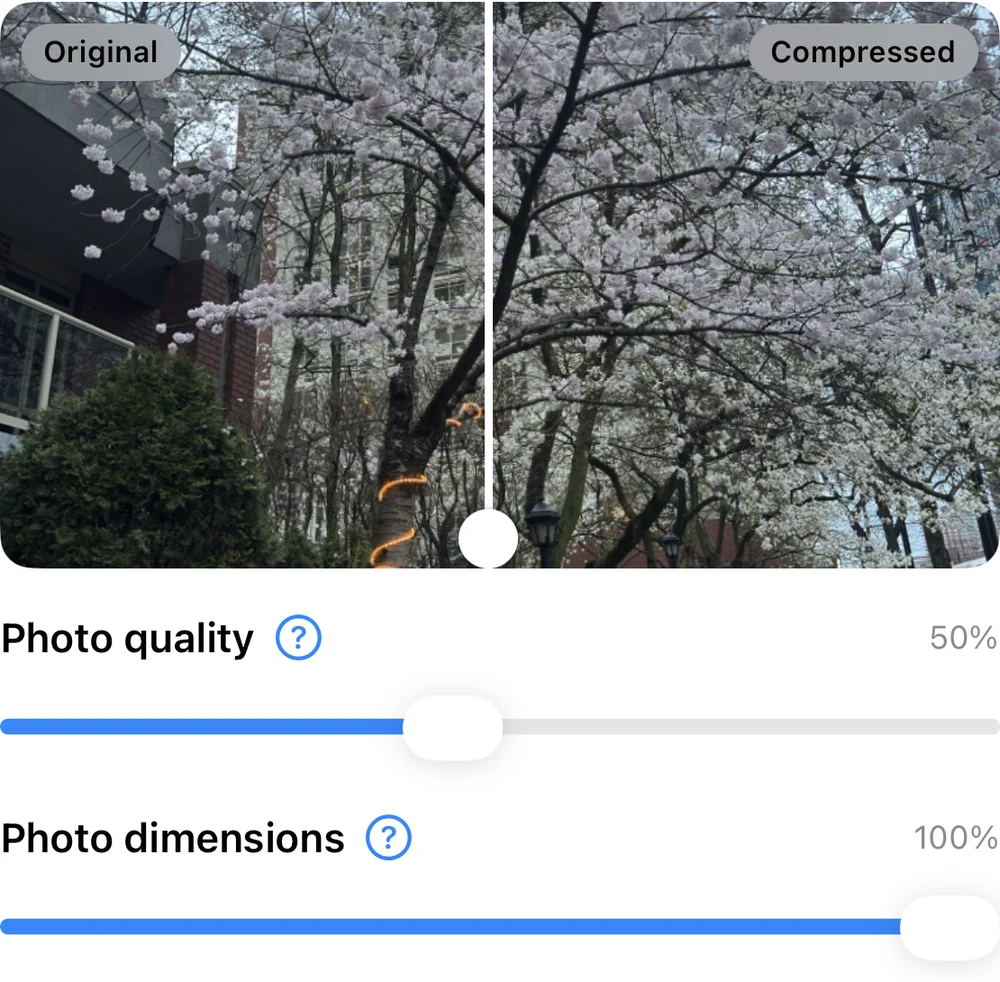
Compress your largest photos. A smaller copy keeps the moment and gives back part of the space. On our measured sample, 50% quality roughly halved a photo; how much you save depends on the photo.
Where PhotoCleanse fits
Get photo space back with PhotoCleanse
We make PhotoCleanse, so weigh this section with that in mind. It works on two of the items above. It compares photo content on your iPhone, groups copies and similar shots of the same moment and marks one BEST photo to keep; you choose what to delete, and iOS asks you to confirm. Its Compress tab lists your large photos and saves smaller copies, then lets you decide whether to delete the originals.
Your photos aren’t uploaded. The free plan covers 3 duplicate groups, 1 compressed photo and 1 Swipe deck a month; PhotoCleanse Pro removes the limits. PhotoCleanse works on photos, not videos.
Questions about iPhone photo storage
For help with the app, contact support
PhotoCleanse is made by Vlad.
How many photos can a 128 GB iPhone hold?
About 42,000 photos at 12 MP in HEIF or JPEG, or about 21,000 at 24 MP, if photos could use all the space iOS leaves free. Apps, messages and videos share that space, so a typical 128 GB iPhone holds far fewer. In 12 MP ProRAW, about 4,200; in 48 MP ProRAW, about 1,400.
How many GB do I need to store 10,000 photos?
About 25 GB for 12 MP HEIF or JPEG photos, about 50 GB at 24 MP and about 75 GB at 48 MP HEIF Max. In ProRAW, 10,000 photos take about 250 GB at 12 MP and about 750 GB at 48 MP. Live Photos and videos need more.
Why does my 128 GB iPhone show less than 128 GB?
Apple counts 1 GB as 1 billion bytes, and formatting and iOS use part of the space. Apple says a standard configuration of iOS 27 with Apple’s apps uses about 12 to 24 GB on an iPhone 17. Settings › General › About shows your capacity and the space still available.
Is 128 GB enough for photos?
For most people who shoot 12 or 24 MP HEIF photos and use iCloud Photos with Optimize iPhone Storage, yes. If you shoot ProRAW, 48 MP or a lot of 4K video, or you keep every original on the iPhone itself, 256 GB or more leaves room to grow.
Do Live Photos take more space?
Yes. A Live Photo saves a short video with the photo, so it takes more space than a still photo, and the numbers in the table come down. Apple doesn’t publish a size for it. You can turn Live Photos off in the Camera app when you don’t need them.
How can I fit more photos on my iPhone?
Keep the camera on High Efficiency (HEIF) instead of Most Compatible, use ProRAW and 48 MP only when you need them, turn on Optimize iPhone Storage with iCloud Photos, empty Recently Deleted, and clear out duplicates and retakes. Compressing your largest photos saves more without deleting any moment.
Related guides

Try PhotoCleanse
on your iPhone
Find the copies and retakes that use up the space.
For iPhone · Optional Pro subscription
Not for videos or Android phones: PhotoCleanse cleans up photos only.

Scan with your iPhone camera
Opens the App Store