Troubleshooting
Duplicates album not showing on iPhone? Why, and what to do
The Duplicates album shows up only after your iPhone has indexed your photo library and found duplicates. Apple says indexing runs while the iPhone is locked and connected to power, and can take up to a few days. If it has finished and there’s still no album, Photos found no duplicates. The album also skips similar shots, so copies you can see may not be listed.
Updated

3 free group cleanups a month
You confirm before deleting.
Quick check
Find what you’re seeing
“Duplicates isn’t showing” covers a few different problems. Each has a different cause, and only one of them is something you have to wait for.
| What you see | Why | What to do |
|---|---|---|
| No Duplicates album at all after updating iOS | Photos hasn’t finished indexing your library | Lock your iPhone and leave it on power, overnight if you can |
| Still no album after indexing finished | Photos found no duplicates in your library | Look for similar shots instead; the album doesn’t list them |
| You can’t find Utilities or Duplicates | The album moved between iOS versions | Use the path for your iOS version in the table below |
| The album was there and now it’s gone | You merged every set, so no duplicates are left | Nothing to fix; it comes back when Photos finds new copies |
| Copies you can see aren’t in the album | Photos lists only the photos it identifies as duplicates | Delete them yourself, or scan for similar photos with an app |
| “Cannot be merged at this time” | Apple doesn’t document this message | Try again later, or delete the extra copy yourself |
Step by step
How to get the Duplicates album to appear
Work through these in order. The first two settle most cases.
- 01
Check your iOS version
Open Settings, tap General, then About, and look at iOS Version. The Duplicates album arrived in iOS 16. On iOS 15 or earlier there’s no album to find, so update iOS or use a duplicate cleaner app.
- 02
Look in the right place
The album has moved twice since iOS 16. On iOS 26 and 27, open Photos, tap Collections, scroll to Utilities and tap Duplicates. The table below lists the path for older versions.
- 03
See whether Photos is still indexing
Open Photos, tap Library and scroll to the very bottom. Apple says a status message appears there while your iPhone is indexing the library. If you see it, the album isn’t ready yet.
- 04
Lock it and plug it in
Apple says duplicate detection needs the iPhone to be locked and connected to power. Charging it overnight with the screen off is the simplest way to give it that time. Depending on the size of your library and what else runs in the background, Apple says it can finish quickly or take up to a few days.
- 05
Check again
When the status message is gone, open Utilities again. If there’s still no Duplicates album, Apple’s answer is that your iPhone hasn’t identified any duplicates. That isn’t the same as having no near-identical photos; see the next sections.
Source: Apple Support, If you can’t find the Duplicates album for duplicate photos and videos on iPhone.
By iOS version
Where is the Duplicates album on iPhone?
On iOS 26 and 27, it’s in Photos under Collections, in the Utilities section. Apple’s iPhone User Guide gives a different path for each older version.
| iOS version | Where to tap |
|---|---|
| iOS 26 and iOS 27 | Photos › Collections › Utilities › Duplicates |
| iOS 18 | Photos › scroll down below your library › Utilities › Duplicates |
| iOS 16 and iOS 17 | Photos › Albums › Utilities › Duplicates |
| iOS 15 and earlier | No Duplicates album; it arrived in iOS 16 |
Why doesn’t the album list copies I can see?
The album lists only the photos and videos that Photos itself identifies as duplicates. Apple doesn’t publish the exact rule, so the practical test is simple: if two photos aren’t in the album after indexing, Photos doesn’t treat them as duplicates.
Similar shots aren’t duplicates. Five retakes of the same group photo, a burst of a moving pet or the same view a second apart are separate photos, and the album usually leaves them out. They are often what fills a library.
A different file size doesn’t rule out a duplicate. Some videos say two photos with different sizes aren’t real duplicates. Apple’s guide for iOS 16 and 17 says merging keeps the highest-quality version and combines the relevant data across the duplicates, so Photos expects copies to differ in quality.
Photos in chats aren’t in your library. A photo that only lives in a Messages thread isn’t part of your photo library, so Photos can’t list it. It counts under Messages in iPhone Storage instead.
You can delete any of these yourself in Photos: tap Select, choose the extra photos and tap the Trash button.
When the album appears: what Merge does
Open a set and tap Merge, then Merge [number] Items to confirm. Apple’s guide for iOS 16 and 17 explains the result: Photos keeps the highest-quality version with the relevant data from every copy, and moves the other copies to Recently Deleted. They stay there for 30 days, so you can recover one if you change your mind.
Once you’ve merged every set, the album goes away. Apple says the Duplicates album doesn’t appear when your library has no duplicates, so an album that vanished after a cleanup isn’t a bug.
If you use iCloud Photos, merging and deleting apply on every device signed in with the same Apple Account. The space comes back on your iPhone only after the copies leave Recently Deleted.
Apple Support: Merge duplicate photos and videos on iPhone · the iOS 17 version · Delete photos on your iPhone
“Cannot be merged at this time”
People report this message on the Apple Community forums, but Apple’s Merge guide doesn’t mention it and Apple hasn’t published a cause. We won’t guess at one.
What’s safe to try: wait and try the set again later, after your iPhone has had time locked and on power. If the same set still won’t merge, look at the copies, keep the one you want and delete the others with the Trash button. The deleted copies go to Recently Deleted for 30 days. Unlike Merge, deleting doesn’t combine data from the copies into the one you keep.
Without waiting
Find duplicates with PhotoCleanse
We make PhotoCleanse, so weigh this section with that in mind. It doesn’t depend on Photos indexing: it compares your photos on your iPhone, without uploading them, and shows groups as soon as it finds them. For photos stored in iCloud it uses the version already on your iPhone, so it doesn’t download your originals to scan.
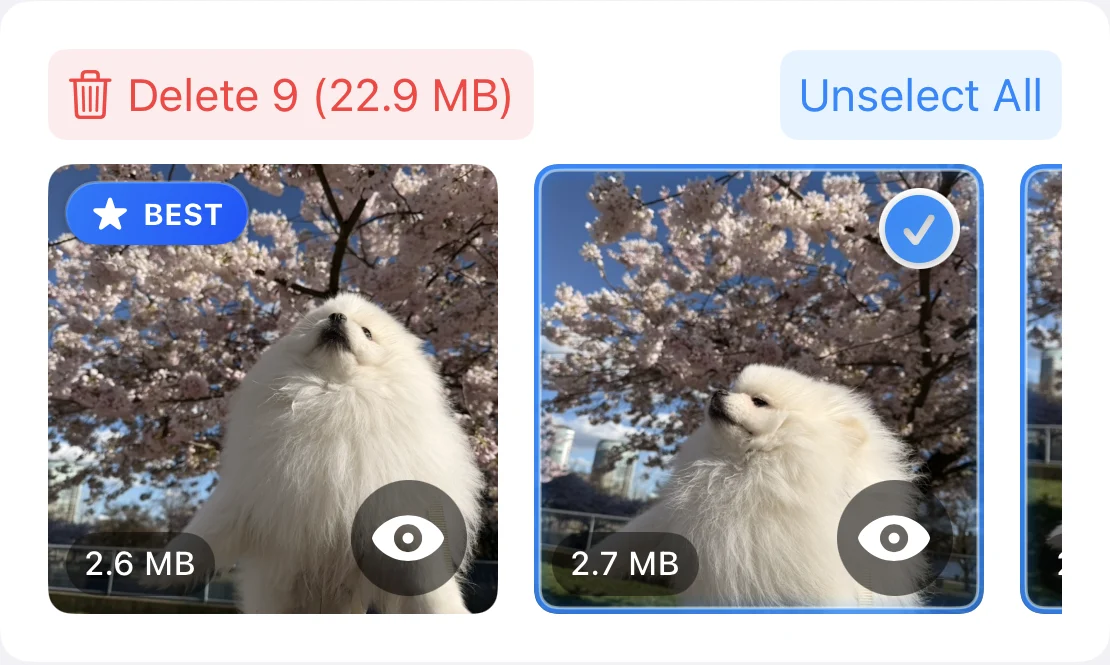
Each group has a suggested BEST photo, and you choose what to delete. Options switches between Exact Matches, which shows only copies of the same photo, Balanced, the default, and More Matches, which also groups similar shots. PhotoCleanse checks photos, not videos; the Duplicates album still covers duplicate videos.
Deleting goes through Apple Photos: iOS asks you to confirm, and deleted photos go to Recently Deleted for 30 days. Every matching level is free, with 3 group cleanups a month; PhotoCleanse Pro removes the limit.
Step by step: delete duplicates with the Photos album or PhotoCleanse
Questions about the Duplicates album
For help with the app, contact support
PhotoCleanse is made by Vlad.
Why are my duplicate photos not showing up?
The Duplicates album appears only after your iPhone indexes your photo library and finds duplicates. Apple says this runs while the iPhone is locked and connected to power, and it can take up to a few days for a large library. If indexing has finished and the album still isn’t there, Photos hasn’t identified any duplicates.
Why can’t I find Duplicates in the Photos Utilities?
Either your iPhone hasn’t found duplicates yet, or you’re looking in the wrong place for your iOS version. On iOS 26 and 27, tap Collections, then Utilities, then Duplicates. On iOS 18, scroll down below your library to Utilities. On iOS 16 and 17, tap Albums and look under Utilities. iOS 15 and earlier don’t have the album.
How do I know if my iPhone is still indexing photos?
Open Photos, tap Library and scroll to the bottom. Apple says a status message appears there while your iPhone is indexing the library. When the message is gone and there’s still no Duplicates album, Photos hasn’t found duplicates.
Why did my Duplicates album disappear?
Apple says the Duplicates album doesn’t appear when your library has no duplicate photos or videos. If you merged every set, the album goes away, and it comes back when Photos finds new copies.
Why can’t I merge my duplicate photos?
Apple doesn’t publish a reason for the “cannot be merged at this time” message, and its Merge guide doesn’t mention it. Try again later. If a set still won’t merge, delete the copy you don’t want with Select and the Trash button; it goes to Recently Deleted for 30 days like any other deletion.
Does the Duplicates album find similar photos?
No. It lists photos and videos that Photos identifies as duplicates. Separate shots of the same moment, like retakes, usually aren’t listed. An app such as PhotoCleanse groups those similar shots and lets you choose which one to keep.
Can PhotoCleanse find duplicates when the album is missing?
Yes, for photos. PhotoCleanse, which we make, compares photos on your iPhone without uploading them and doesn’t wait for Photos to index the library. It groups copies and similar shots and suggests one photo to keep; Exact Matches shows only copies. It doesn’t check videos. The free plan cleans up 3 groups a month, and nothing is deleted until you confirm in iOS.
Related guides

Try PhotoCleanse
on your iPhone
Find duplicate and similar photos without waiting.
For iPhone · Optional Pro subscription
Not for videos or Android phones: PhotoCleanse cleans up photos only.

Scan with your iPhone camera
Opens the App Store